IT 117: Intermediate to Scripting
Class 26 Exercise
Script for this exercise
- Open IDLE on you machine
GUI programs will not run on users3.
Instead you must do this work on your machine using your copy of IDLE.
- Enter the following text into the script file
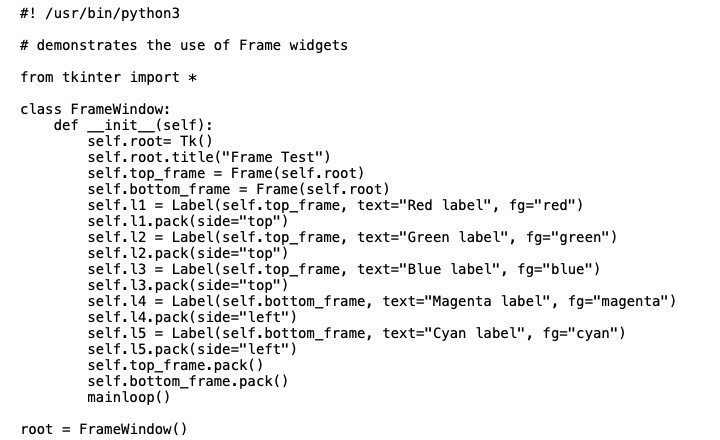
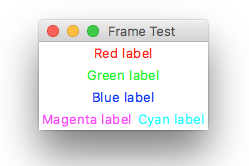
- Run this script
- You should see
- Copy this script to your ex26 directory using FileZilla
You will find instructions on using FileZilla here
here
Unix setup
- Log in to users3.cs.umb.edu
You will be in your home directory.
- Go to your it117 directory
cd it117
- Go to your ex directory
cd ex
- Create a directory for this exercise
mkdir ex26
- Check that the directory was created
ls
Copy the file to Unix
- Open FileZilla and connect to
users3.cs.umb.edu
You will have to connect using your Unix username and password.
- Copy the file to the to
it117/ex/ex26
You cannot test the script on users3
because it does not have software for graphics.